

Key Points
- These five vehicles prioritize physical buttons and knobs for core functions, making them easier and safer to use than touchscreen-heavy interiors.
- Each model blends modern safety and connectivity features with intuitive, tactile controls rather than replacing everything with software.
- From affordable daily drivers to luxury SUVs and pickups, there are still excellent options for buyers who value ergonomics over screens.
For all the convenience modern tech promises, touchscreens have quietly become one of the most polarizing features in today’s cars. Climate controls buried in menus, glossy displays that smear with fingerprints, and laggy interfaces can turn simple tasks into distractions. If you prefer real buttons, physical knobs, and controls you can use without taking your eyes off the road, good news: not every automaker has gone all-in on screens.
We get that the trajectory is more tech rather than less, but some manufacturers are still committed to the right balance of appearance and functionality. These five vehicles prove you can still buy something modern that respects muscle memory, ergonomics, and common sense. They blend tactile controls with just enough tech to stay current, without relegating nearly every function to a screen that can be distracting and frustrating.
Mazda CX-50
Mazda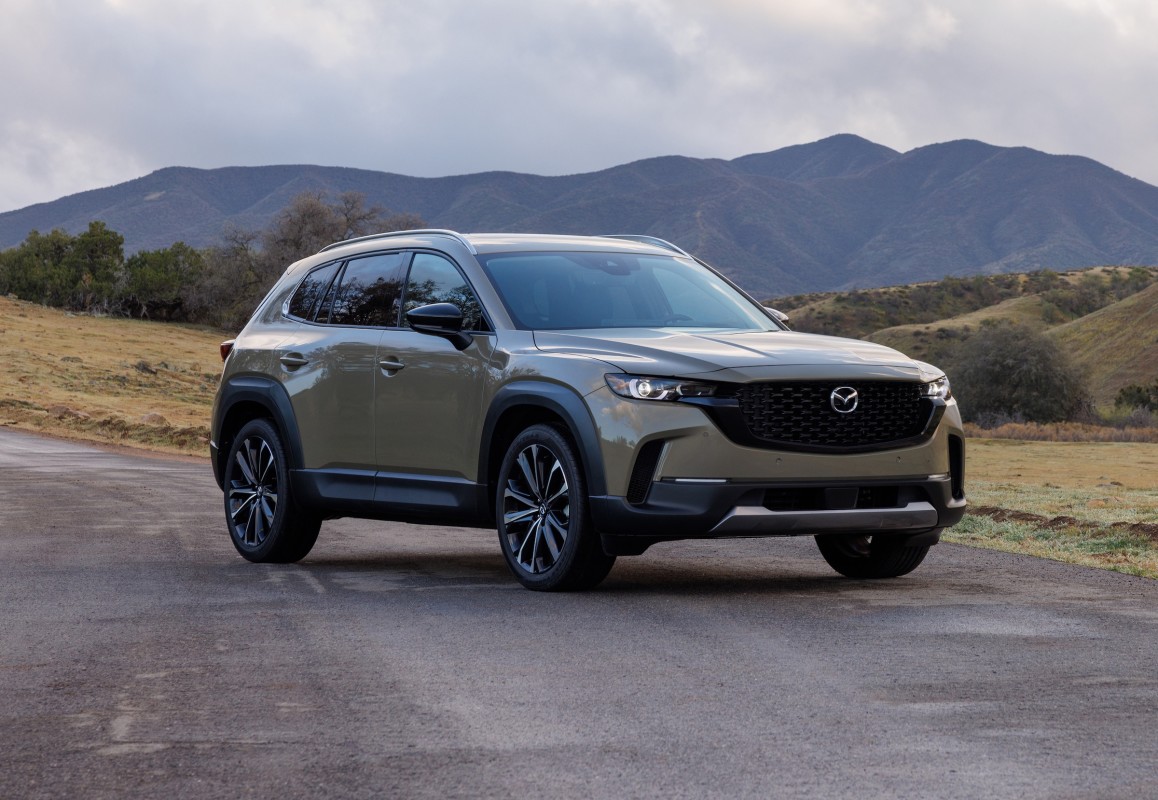
We love Mazda for its commitment to driving thrills, but we also applaud them for providing some of the best physical controls in the industry. They have also maintained their commitment to reduce distractions by not stuffing screen only operations in all of their vehicles (the 2026 CX-5 is the exception). The CX-50 is one of the best examples. While it does include a central infotainment screen, Mazda intentionally disables touch functionality while driving. Instead, everything is controlled through a rotary Commander dial and shortcut buttons on the center console.
Mazda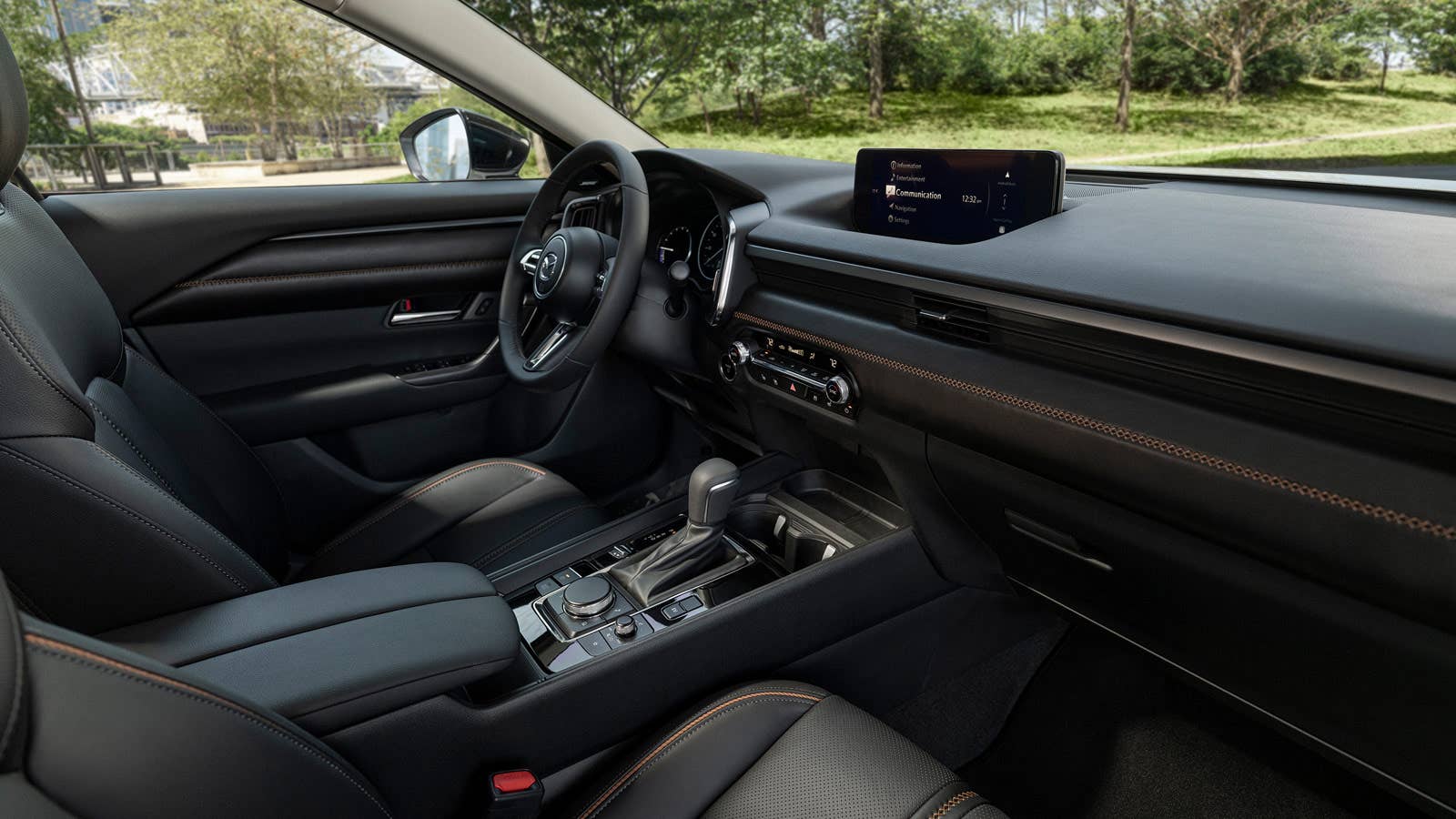
The system is intuitive, attractive, and utilizes muscle memory for quick clicks and pushes. It also prevents the driver from having to reach for the screen. The CX-50 will allow you to use the touchscreen when phone mirroring via Apple CarPlay and Android Auto, but not while you’re moving. There’s a way around it, but the screen is also purposely set back toward the windshield so it’s harder to reach. For people who dislike touchscreens but still want something stylish, efficient, and comfortable, the CX-50 hits a rare sweet spot.
Mercedes-Benz G550
Mercedes-Benz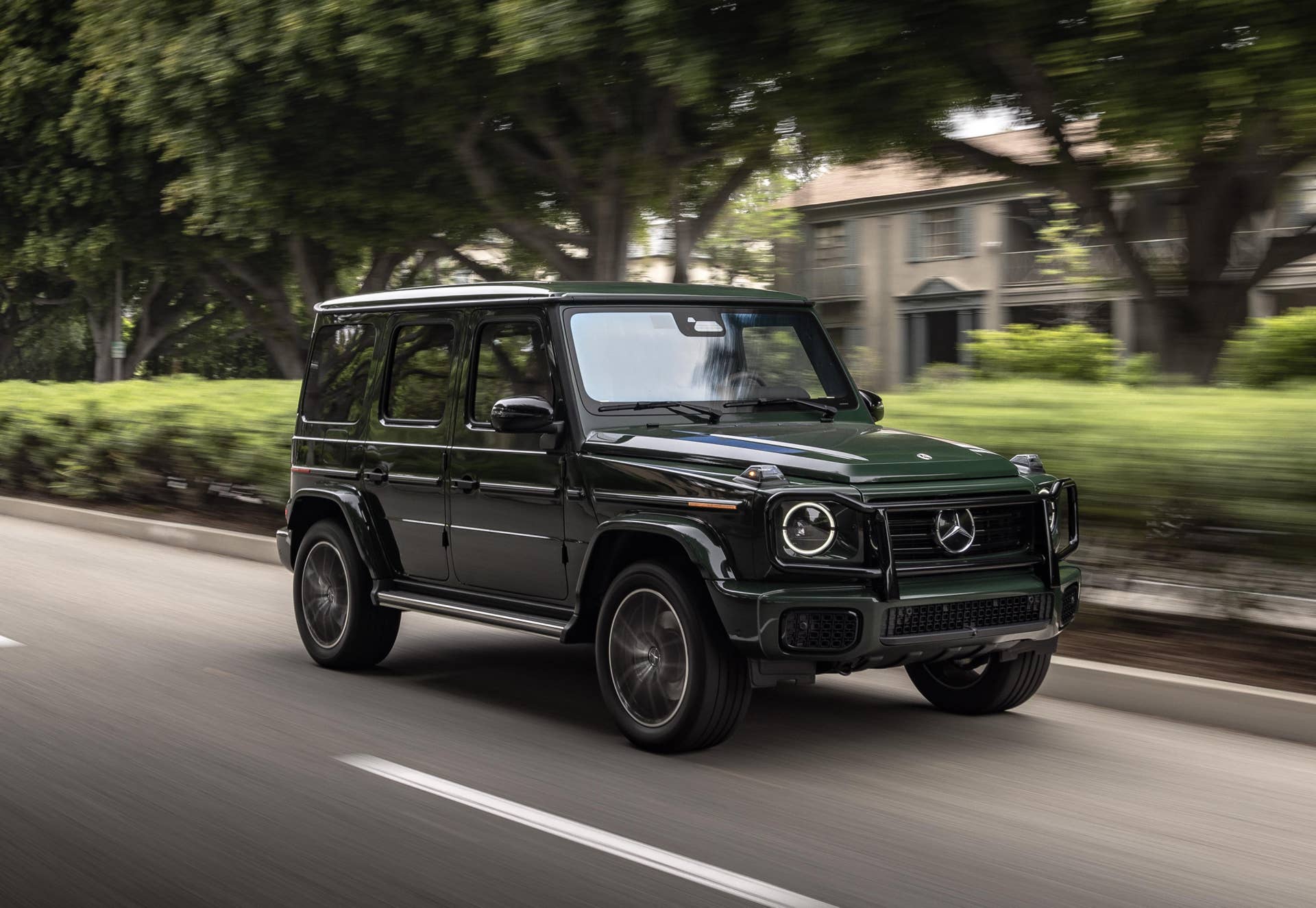
The Mercedes-Benz G550 is a luxurious and rugged German steed with miltary roots. It’s now one of the most recognizable vehicles on earth. While it may be a luxury vehicle with a sky-high price tag, it remains refreshingly old-school in how it operates. Yes, there are big 12.3-inch screens for instrumentation and infortainment, but they utilize a center touchpad and buttons versus using a touchscreen. In fact, the screen won’t even accept touch input for any operations, whatsoever. On top of that, Mercedes has retained a wide array of physical switches, buttons, and toggles throughout the cabin.
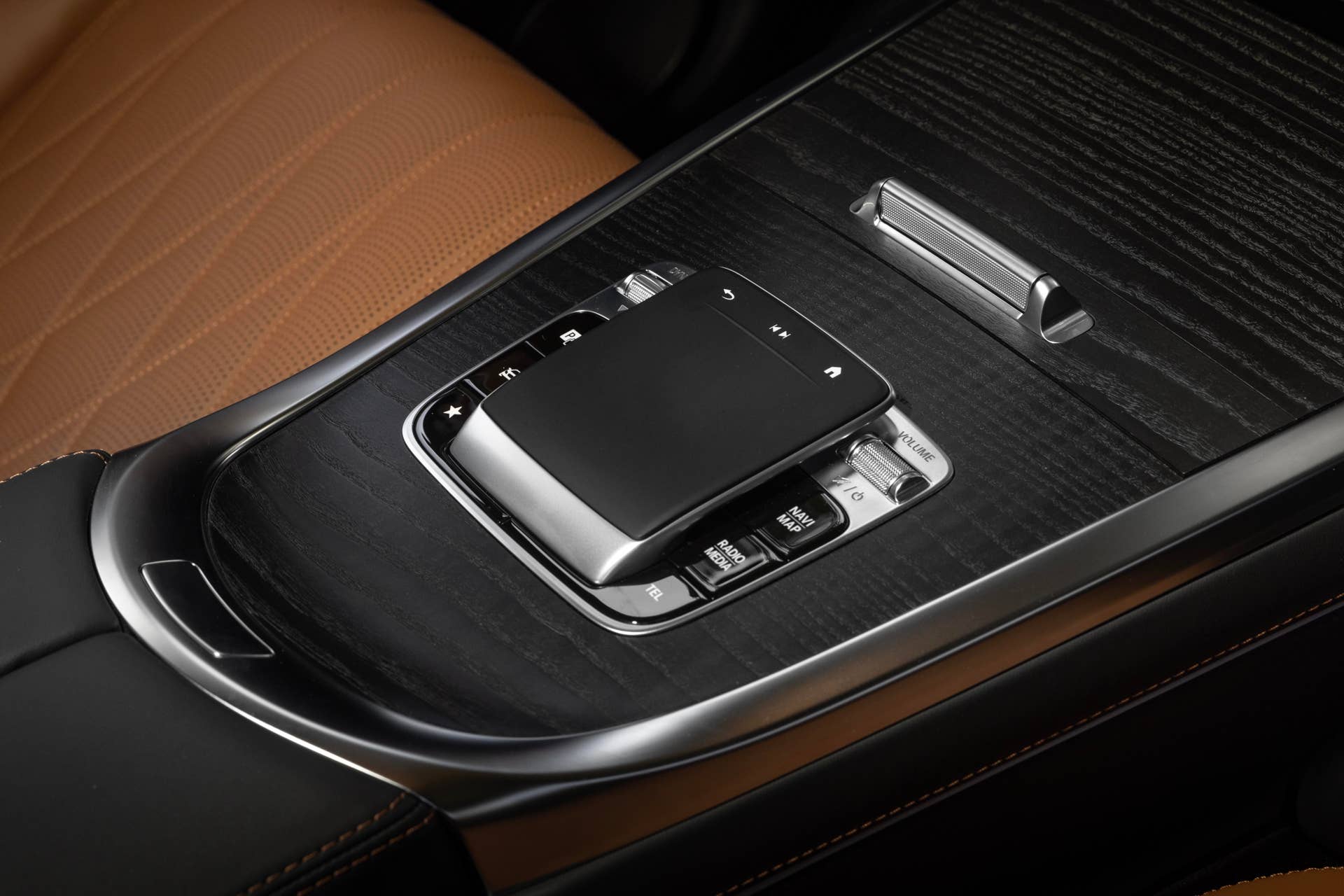
Climate controls are handled with real buttons, volume has a real knob, and key functions never require going through layers of menus. The trio of differential lock buttons mounted prominently on the dashboard remind you that this beast was meant for off-roading, not menu-fussing. If you want a vehicle that feels truly mechanical, you’ll relish the vault-like doors, the rifle-bolt door locks, and the satisfaction of not using a touchscreen.
Honda Civic
Honda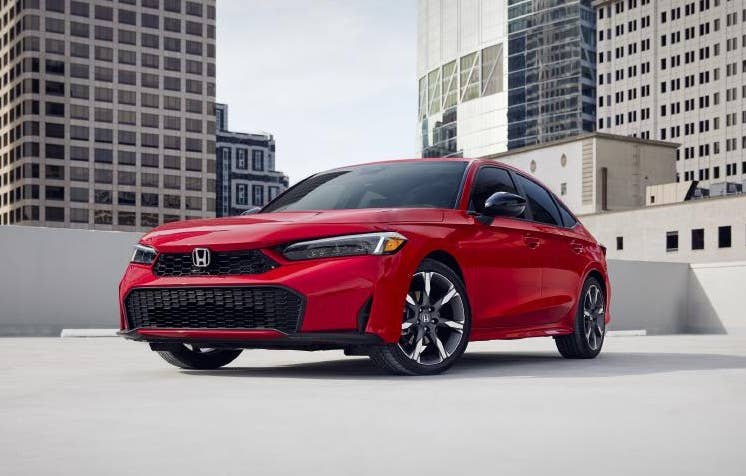
There’s a lot to love about the current Honda Civic, in both gas and hybrid models, as well as sedan and hatchback variants. It’s wonderful to drive, attractive, and efficient. One of its more subtle high points is its “under-reliance” on touchscreen controls. Sure, there is an actual touchscreen, but the superb physical controls reign supreme. Large knobs and buttons, as well as great steering wheel controls, make the Civic’s most used functions a cinch. The infotainment screen sits higher on the dash for easy viewing, but it doesn’t dominate the cabin or replace core controls. It might not be sexy or expansive, but it’s also not a ridiculous distraction.
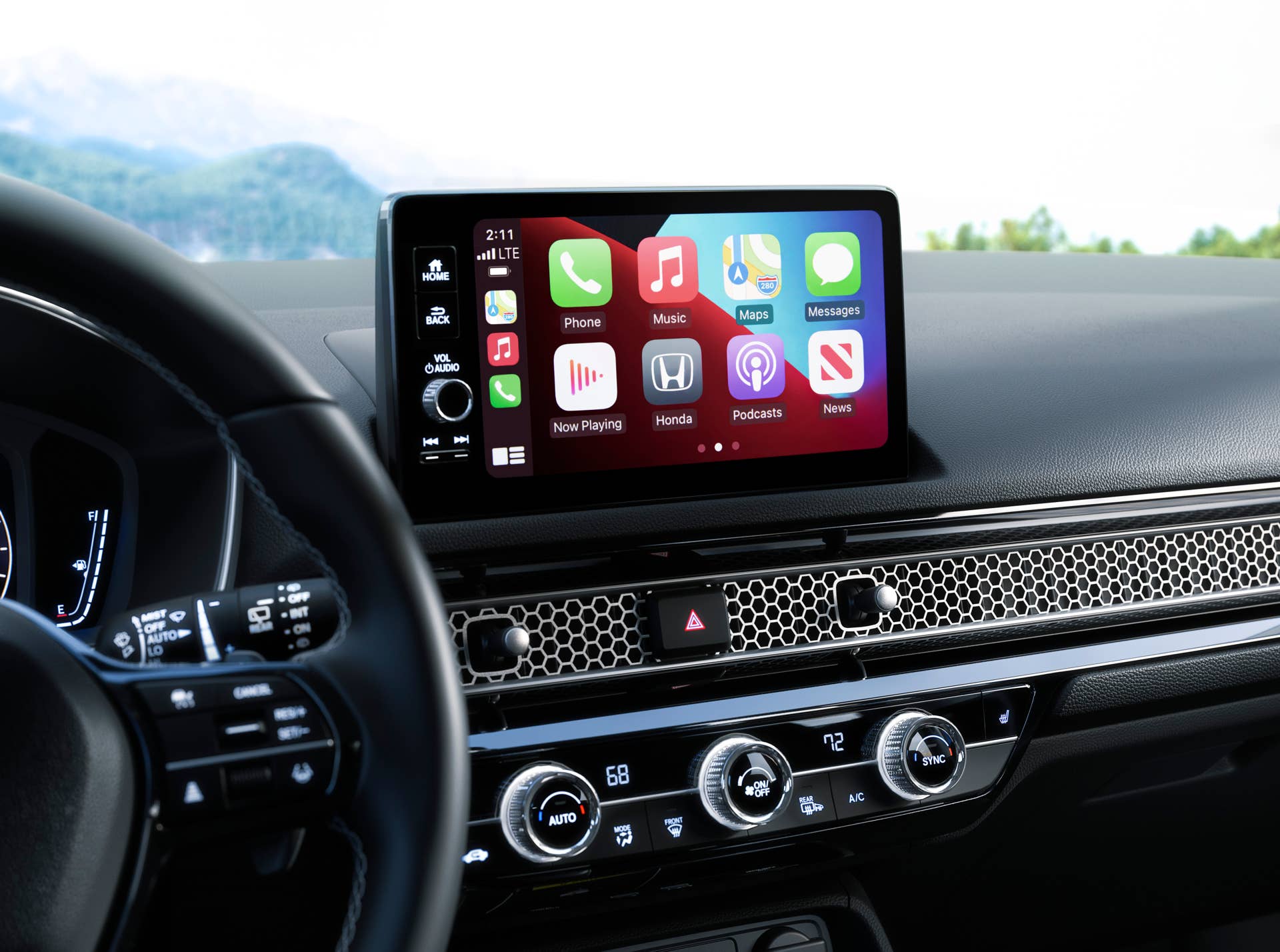
Honda’s design philosophy here feels intentional rather than cost-driven. Those big climate control knobs are some of the best weve ever used. The heated seat buttons are also physical and perfectly located at the outer edges of the climate control panel instead of buried in menus. Everything is easy to read, easy to reach, and easy to understand. You can hop in the Civic and immediately know how to use it without a tutorial or adjustment period. For drivers who want a reliable, efficient daily car without fighting a touchscreen every time they want to change the temperature, the Civic remains one of the best choices on the road.
Nissan Frontier
Nissan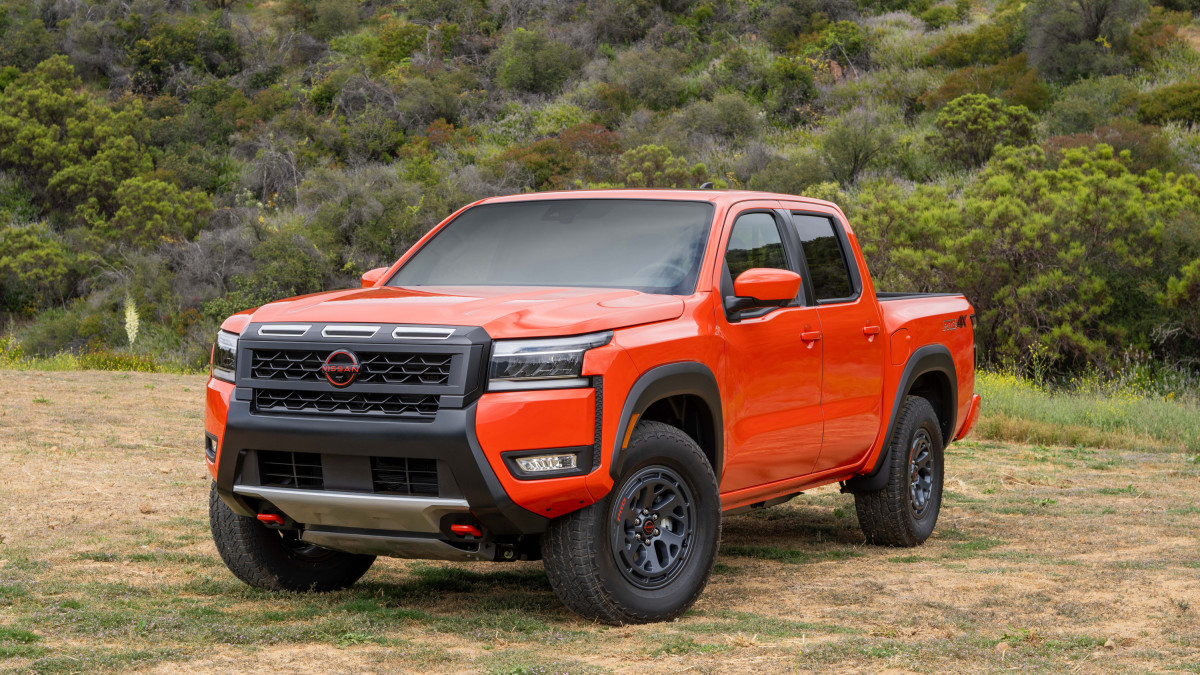
Nissan’s smallest truck has some big bragging rights when it comes to keeping the driver’s focus on the road (or trail). Its center console uses large physical buttons, chunky knobs, and a layout that prioritizes durability and intuitive operation. Climate controls are handled entirely through physical interfaces, and even the infotainment system is paired with dedicated buttons for common functions. Everything feels built to be used with gloves on, which is exactly what many truck buyers want.
Nissan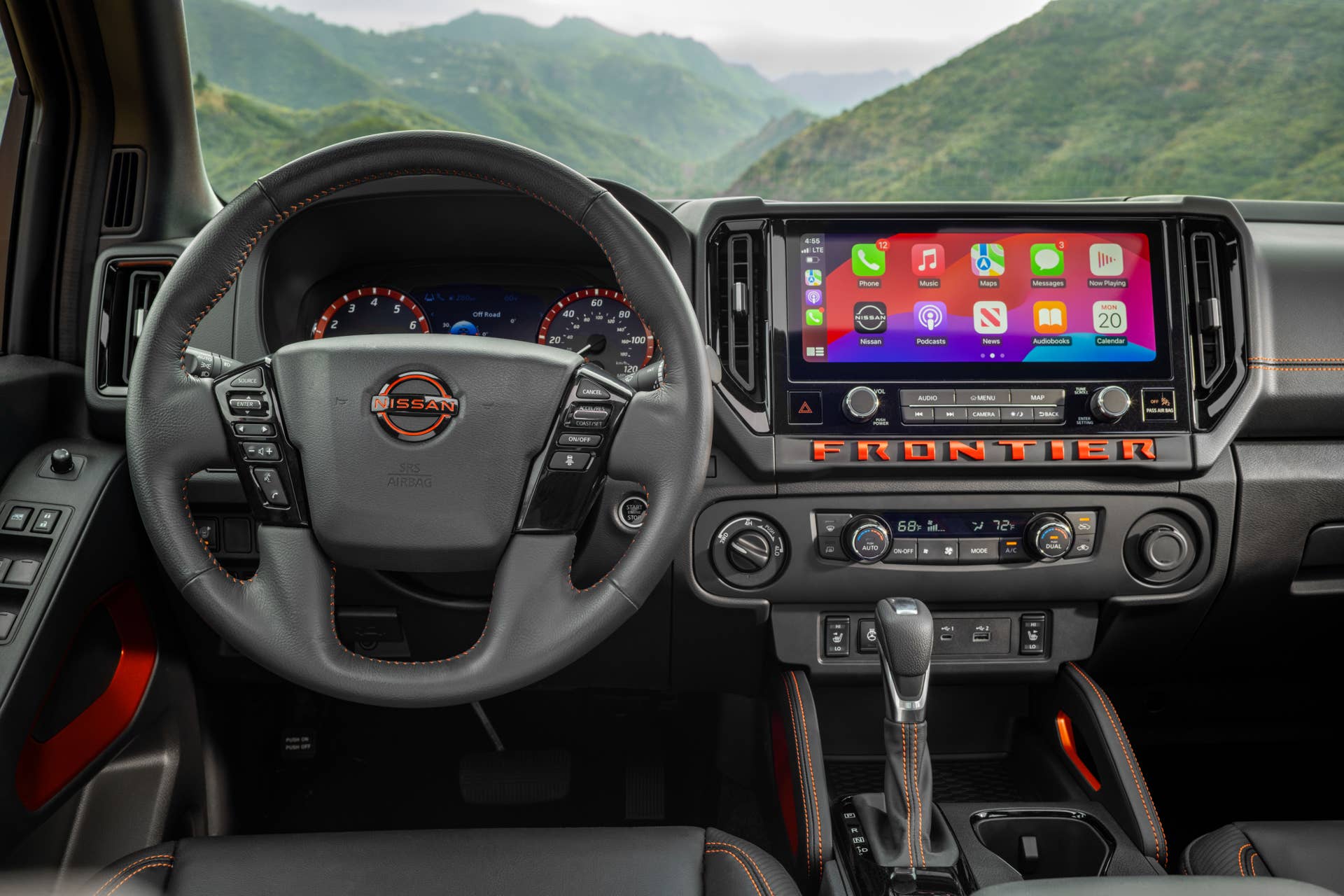
Both audio and climate functions are handled by large, clearly labeled knobs and buttons that can be adjusted without taking your eyes off the road. Key infotainment shortcuts remain physical as well, parked right beneath the dash-mounted touchscreen, which also provides phone mirroring. The whole setup is designed to reduce the need to dig through menus for simple tasks and focus on getting where you’re going safely, especially if its to the top of that mountain.
Ford Maverick
Ford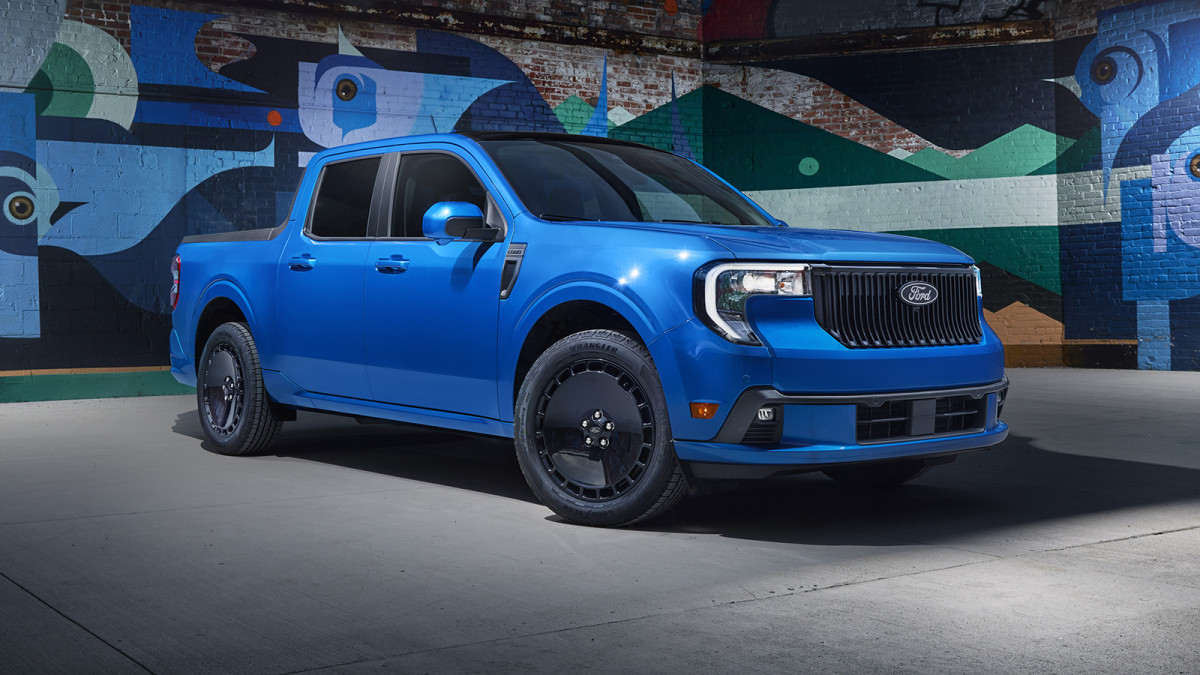
The Ford Maverick has been a huge hit for the brand and not just because it’s well-priced and has a hybrid variant. The Maverick’s impressive utility is bolstered by its ease of use via great physical controls and simple operation. It proves that affordability and smart design often go hand in hand. While it does feature a central screen, Ford made a point of keeping essential functions accessible through physical controls.
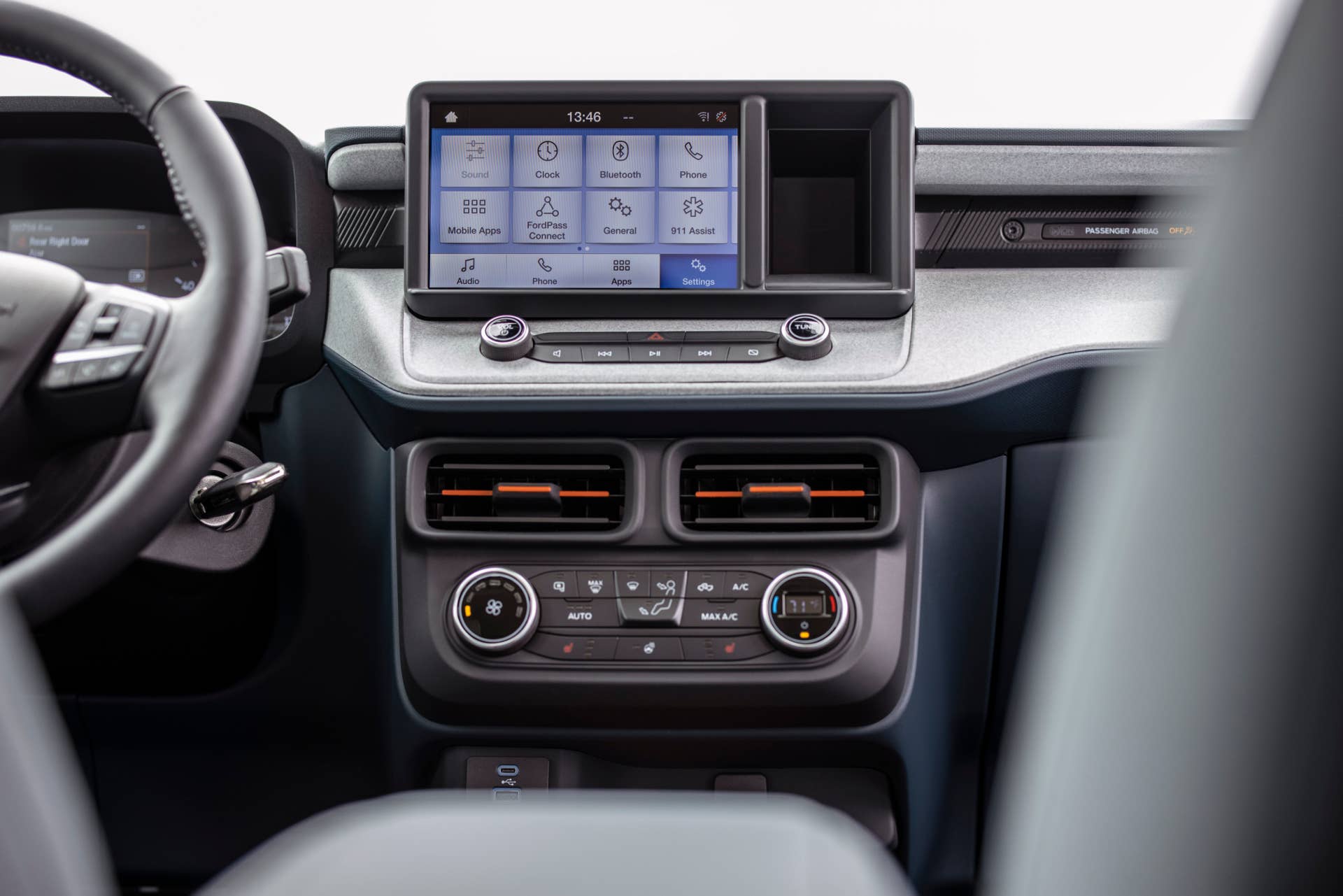
The Maverick’s most frequently used functions, audio and climate, are performed via simple knobs and buttons on the center stack. The climate knobs are big and easy to read, flanking the center panel of buttons. The audio knobs and clean line of buttons is situated right below the responsive SYNC 4 system, which now uses an updated 13.2-inch touchscreen. The layout for each panel is also very simple, making operation intuitive and quick. For buyers who want modern features without sacrificing tactile feedback, the Maverick is one of the smartest vehicles on sale today.
Final Thoughts
Touchscreens are not inherently bad, but when they replace basic controls, they often make driving more frustrating and less safe. These five vehicles prove there is still room in the market for thoughtful ergonomics, physical buttons, and designs that respect the driver. Whether you are looking for a compact sedan, a rugged truck, or a tough luxury SUV, there are still options that let you focus on the road instead of a menu screen. For people who hate touchscreens, that alone makes these cars worth seeking out.